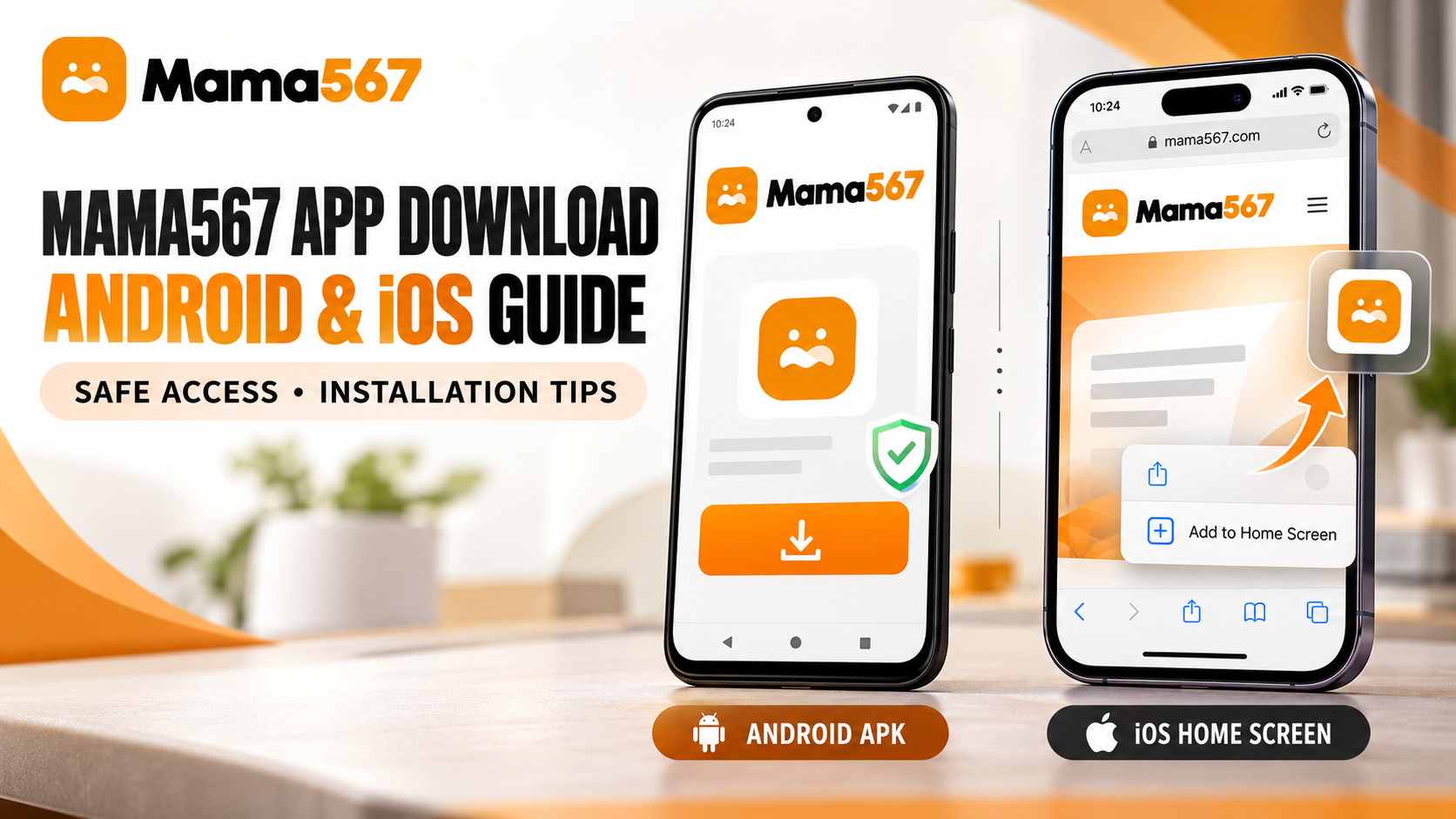
Accessing Mama567 on a smartphone allows readers to monitor market opening and closing declarations, examine historical pana boards, and track daily jodi combinations without reloading desktop pages. Because mobile operating systems treat direct web downloads and web shortcuts differently, understanding how each platform handles access is essential for keeping your device secure.
Android users can access the application as a standalone Android Package (.apk) file downloaded directly from the official website, provided the download remains active and accessible. iPhone and iPad users, by contrast, access the service through Safari and can place a fast home-screen shortcut on their device. Neither distribution method, by itself, proves that a software download is independently security-audited or endorsed by third-party application stores. This guide provides exact, verifiable instructions for both operating systems, outlines how to authenticate the genuine download source, and highlights the security safeguards every reader should follow before installing any file.
If you are new to interpreting market boards, we recommend reviewing our foundational guide to What is Satta Matka? and our practical breakdown of How to Read a Kalyan Panel Chart alongside these mobile setup steps.
How to Access Mama567 on Android and iPhone
Android and iOS follow fundamentally separate architectures for mobile access. Android permits direct sideloading of installation packages outside of Google Play when granted permission by the user. iOS restricts software installation to Apple's App Store and instead provides Safari-driven web shortcuts for mobile sites.
Understanding these technical distinctions prevents confusion between a standalone mobile binary and a browser bookmark.
| Feature | Android | iPhone / iPad |
|---|---|---|
| Access method | Official APK download | Website in Safari |
| Installation type | Android application package (.apk) |
Home-screen website shortcut (Web Clip) |
| App Store listing | Not listed on Google Play | Not listed on Apple App Store |
| Source verification | Inspect download domain & package identifier | Confirm official website domain & HTTPS |
| Local file footprint | ~5.5 MB package storage | Minimal browser cache storage |
| Offline functionality | Requires active network connection | Requires active network connection |
| Device security | Keep Google Play Protect active | Keep iOS & Safari updated |
Both platforms display identical market records, draw schedules, and historical tables sourced from the central Mama567 data infrastructure. However, because Android executes an installed application package while iOS renders web pages through Safari, the installation and safety checks for each platform require separate handling.
How to Download and Install Mama567 on Android
Installing an Android application from an external website requires navigating Android's security prompts. Follow these six steps to install the official package safely without compromising your device's built-in protections.
Step 1 — Open the Official Website
Open your preferred mobile web browser (such as Google Chrome, Firefox, or Samsung Internet) on your Android device and navigate directly to the verified Mama567 website:
Verify that the URL in the address bar is spelled correctly and displays a secure connection icon (a padlock symbol). Once the home page renders, look for the primary Download App button located in the top navigation bar or within the introductory section.
Step 2 — Verify the Download Destination
Before tapping any download prompt, confirm where the link points. On a touchscreen, long-press the Download App button and inspect the target URL displayed in your browser's preview dialog.
The verified download destination must lead directly to:
https://mama567apps.com/mama567.apk
If the link attempts to redirect you to an unfamiliar domain, a URL shortener (such as bit.ly, tinyurl, or shorturl), a third-party file-sharing host (such as Mega, MediaFire, or Google Drive), or a public messaging channel (such as Telegram or WhatsApp), do not proceed. Legitimate Mama567 downloads originate exclusively from the primary domain.
Step 3 — Download the APK
Tap the Download App button. Your mobile browser will prompt you to confirm the download. Modern versions of Android commonly display a standard informational prompt:
"File might be harmful. Do you want to download mama567.apk anyway?"
This message is a universal security notification that Android displays for every .apk file downloaded outside the Google Play Store; it does not specifically mean that the file contains malware. Confirm the download only after verifying that the file name is strictly mama567.apk and that the download is originating from mama567apps.com.
Step 4 — Check the File Before Installation
Once the download finishes, check the basic properties of the retrieved file before tapping to install it:
- File Name:
mama567.apk - File Size: Approximately 5.5 MB (5,758,251 bytes)
- App Identity: Mama567
- Package Identifier:
com.mama567.app
Because the Mama567 website does not publish a live cryptographic SHA-256 checksum or public signing certificate fingerprint on its public pages, you should not assume that the package has been externally certified. Inspecting the file size and package name provides an immediate check against modified or repackaged counterfeits, which frequently inflate file sizes to dozens of megabytes by embedding adware or secondary payloads.
Step 5 — Review Android's Installation Prompt
Tap the completed download notification or open your browser's Downloads menu to initiate installation. Android will launch its system package installer.
- Unknown Source Permission: If your browser does not yet have permission to install external applications, Android will present a prompt directing you to Settings. Toggle the permission switch labeled Allow from this source for your browser only. Return immediately to the installer dialog.
- Review App Details: The installation card will display the application name (Mama567) and an icon. Ensure the name matches and does not show unusual generic labels.
- Permissions Review: The installation dialog will show requested permissions. Standard result-tracking utilities require network access to fetch live numbers. If the installer asks for sensitive permissions—such as reading SMS messages, accessing contacts, recording audio, accessing camera hardware, or reading precise GPS coordinates—cancel the installation immediately.
- Security Warnings: If Google Play Protect or your device manufacturer's security layer flags the package with a specific malicious behavior warning, heed the warning and cancel the installation.
Important: Never disable Google Play Protect, turn off Android system security, or toggle developer options just to force an APK installation. Legitimate utility packages install under standard Android unknown-source permissions without requiring security compromises.
Step 6 — Open the App and Check Its Identity
Tap Open once installation completes. The app will launch into the Mama567 mobile interface.
Confirm that the application displays the official Mama567 interface, showing declared open patti, jodi, and close patti lines across standard markets like Kalyan, Milan Day, and Rajdhani Night. Verify that the displayed numbers match the figures shown on the live latest results page and all charts index.
Remember that successful installation confirms that the package executed on your operating system; it does not constitute an independent safety guarantee. Keep your device updated and retain standard security safeguards at all times.
How to Access Mama567 on iPhone or iPad
Apple's iOS operating system does not permit direct sideloading of third-party .apk packages or unsigned software binaries. There is no official native Mama567 application on the Apple App Store, and the existing website does not operate as an offline Progressive Web App (PWA) with background service workers.
Instead, iOS users can access the full suite of charts, market schedules, and daily results by creating a Safari Home Screen Shortcut (Web Clip). This places an icon directly on your home screen that opens the official site in a single tap.
Step 1 — Open Safari on iPhone or iPad
Launch Apple's default Safari browser. Third-party iOS browsers (such as Chrome or Edge for iOS) have historically had limited or varied support for creating persistent home-screen web clips, making Safari the most reliable choice.
Step 2 — Navigate to the Official Website
In the Safari search and address bar, enter the verified URL:
Examine the address bar to confirm the spelling matches exactly and that the connection uses HTTPS. Avoid accessing the website through embedded web views inside social media apps or unverified link aggregators.
Step 3 — Open Safari's Share Menu
Once the home page loads completely, tap the Share button located in the center of the bottom navigation bar (represented by a square with an upward-pointing arrow).
Step 4 — Choose Add to Home Screen
In the share sheet that appears, scroll down through the action options and tap Add to Home Screen (accompanied by an icon showing a plus sign inside a square).
Step 5 — Confirm the Name and Add the Shortcut
Safari will present an editing window showing the website's title and its configured touch icon (/logo.jpeg):
- Title: Ensure the label reads Mama567 (you may edit the text if you prefer a shorter label).
- URL Destination: Safari displays the destination address
https://mama567apps.com/.
Tap Add in the upper-right corner of the screen.
Step 6 — Open the Shortcut and Verify the Site
Return to your iPhone or iPad home screen. You will see a dedicated Mama567 icon alongside your standard applications.
Tap the icon to launch the site. Safari will open directly to mama567apps.com, allowing you to inspect live market updates, pana boards, and today's declared results.
Crucial iOS Security Notice: Adding a home-screen shortcut is purely a browser bookmark feature. It does not install application binaries onto iOS. Never agree to install custom Mobile Device Management (MDM) configuration profiles, enterprise distribution certificates, or third-party alternative app stores to access Mama567 on an iPhone. Legitimate web access requires only Safari.
How to Verify the Official Mama567 Download Source
Because Satta Matka chart portals frequently attract clone websites, scraping scripts, and fraudulent mirrors, verifying your download source is the most critical step in safeguarding your device. Use this verification checklist before downloading any file or entering any information:
- Exact Domain Spelling: Ensure the address bar reads strictly
mama567apps.com. Beware of look-alike variations using alternative extensions, extraneous hyphens, or transposed letters (e.g.,mama567-app.com,mama567apk.net, ormama567live.in). - Valid HTTPS Encryption: Confirm the presence of a valid SSL/TLS certificate. The connection must use HTTPS, protecting your browsing session from intermediate interception.
- Direct Download Route: The Android package must download directly from the official path
/mama567.apkonmama567apps.com. Reject any link that redirects to external cloud storage or URL forwarding services. - Standard Application Metadata: On Android, verify that the package installer identifies the app name as Mama567 and the internal package name as
com.mama567.app. - Reasonable File Size: The official APK is approximately 5.5 MB. Packages that are significantly larger (such as 25 MB to 60 MB) or unusually tiny (under 1 MB) often indicate repackaged software with bundled bloatware or phishing loaders.
- Restrained Permission Requests: The utility should not request permissions to read SMS messages, inspect contact lists, record calls, access storage without cause, or track physical location.
- Presence of Comprehensive Site Policies: The official website maintains dedicated pages for its Editorial & Data Policy, Privacy Policy, Terms & Conditions, About Us, and Responsible Play & Safety. Imposter domains rarely publish comprehensive, consistent editorial guidelines.
- No Unrealistic Guarantees: Official Mama567 publications state clearly that the site is an informational service publishing declared results and charts. Any website claiming "guaranteed winning tips," "leak numbers," or "100% fixed results" is fraudulent.
Hosting an APK directly on a web server does not automatically make that file safe. Performing these independent verification steps ensures you interact exclusively with the genuine Mama567 platform.
What to Do If Android Shows a Security Warning
Android operating systems include multiple layers of security, including Google Play Protect and manufacturer-specific scanning tools. When downloading software outside of Google Play, you may encounter different types of prompts. Here is how to handle them responsibly:
1. General Unknown-Source Notification
When Android states: "For your security, your phone is not allowed to install unknown apps from this source," this is a routine procedural prompt. You can safely grant permission to your browser if you have already verified the domain as https://mama567apps.com/ and the package destination as /mama567.apk. Once the install finishes, you can toggle that permission back off in your phone's Settings > Apps > Special app access > Install unknown apps menu.
2. Specific Play Protect Block or Malware Alert
If Google Play Protect displays a red or amber warning card stating: "Blocked by Play Protect — This app can be harmful" or flags specific malicious activity:
- Stop Immediately: Do not tap "Install anyway" or attempt to force the installation.
- Delete the Downloaded File: Open your device's file manager or browser downloads folder and permanently delete the downloaded
.apkfile. - Re-Check the Download Source: Verify whether you downloaded the file from the genuine
mama567apps.comdomain or if you inadvertently landed on a clone site or third-party aggregator. - Check for Security Updates: Ensure Google Play Protect definitions and your Android system security patches are up to date.
- Seek Clarification: If you downloaded the file from the verified domain and still receive a security alert, do not install the file. Contact Mama567 support via the channels listed on the home page or wait until the package is updated by the developers.
Under no circumstances should you disable Google Play Protect or bypass explicit device security warnings simply to complete an application installation.
Mama567 APK vs Adding Mama567 to an iPhone Home Screen
Readers frequently ask whether the Android APK and the iPhone home-screen shortcut provide identical experiences. The following comparison table outlines the practical differences between the two methods:
| Evaluation Criteria | Android APK Installation | iOS Safari Home-Screen Shortcut |
|---|---|---|
| Is an executable package installed? | Yes, an Android application package (.apk) is installed locally on the system |
No binary package is installed; it is a browser bookmark with a home-screen icon |
| Where does the content originate? | Compiled web assets packaged within an Android wrapper | Live web pages loaded dynamically through Safari from mama567apps.com |
| Does it require Google Play or App Store? | No, installed via direct website download | No, created via Safari's built-in sharing features |
| Does installation prove security? | No; users must verify source and permissions manually | No; users must verify the HTTPS domain and website integrity |
| Does it update automatically? | May require manual APK re-download when major client updates occur | Updates automatically every time the web page refreshes in Safari |
| Device storage consumption | Uses standard local app storage (~15–20 MB after extraction) | Uses standard Safari temporary cache storage |
| System permissions needed | Standard network communication permissions | None beyond standard Safari web permissions |
Neither approach is inherently superior for reading charts. Android users gain a dedicated app launcher entry, while iOS users enjoy instantaneous zero-install access that always reflects the newest server updates.
Common Problems During Installation
If you encounter technical issues while setting up Mama567 on your device, consult these safe, realistic troubleshooting steps:
The Download Link Does Not Start
- Check Network Connection: Verify that your mobile data or Wi-Fi connection is stable.
- Inspect Browser Pop-Up Settings: Ensure your browser is not blocking automated file downloads.
- Direct Navigation: If the homepage button does not respond, type the direct path
https://mama567apps.com/mama567.apkinto your browser address bar.
"There Was a Problem Parsing the Package" on Android
- Incomplete Download: If the connection dropped during download, the APK file may be corrupted. Delete the file and re-download it completely.
- Android Version Compatibility: Very old Android versions (such as Android 7.0 or older) may not support modern Gradle and Capacitor runtime dependencies. In such cases, use the mobile website in Google Chrome instead of forcing the APK.
- Corrupted Storage: Verify that your device has at least 50 MB of free storage space available to unpack the application.
The App Opens but Displays a Blank Screen or Fails to Load Results
- Firewall or Ad-Blocker Restrictions: Aggressive third-party DNS filters or VPNs may block the market data API feeds. Test the connection without the VPN active.
- Market Draw Intervals: If an individual cell on a chart displays three asterisks (
***), this is normal market operation indicating that the declaration has not yet occurred. Refer to our guide on Understanding Open & Close Results and Market Timings for detailed market schedules.
Safari Shortcut Does Not Display the Correct Icon
- Page Still Loading: Wait for the Mama567 home page to finish loading completely before opening the Share menu so Safari can cache the apple-touch-icon.
- Private Browsing Mode: In private browsing tabs, Safari occasionally uses a generic letter icon instead of the site logo. Switch to standard browsing mode before choosing Add to Home Screen.
Stale Numbers or Cached Content
- If charts or live cards do not reflect the latest declaration, perform a hard refresh in your browser. On Android Chrome, pull down from the top of the screen or clear cached images and files in browser settings. In the Android app, close the app fully from the recent-apps switcher and reopen it.
Never attempt to resolve installation issues by turning off security scanning, rooting your phone, or downloading alternative installers from unverified forums.
Frequently Asked Questions
How do I access the official Mama567 Android app?
To access the official Mama567 Android application, visit https://mama567apps.com/ in your mobile browser, tap the Download App button on the homepage, and download the mama567.apk file directly. Open the file once finished and follow the standard Android prompts to complete installation.
Where can I download the Mama567 APK?
The official and only authorized download destination for the Mama567 APK is directly hosted on the official domain at https://mama567apps.com/mama567.apk. You should never download the APK from third-party app stores, discussion forums, or social messaging channels.
Is Mama567 available as a native iPhone app on the App Store?
No. Mama567 is not listed on Apple's App Store. iPhone and iPad users can access all charts, market schedules, and results by opening https://mama567apps.com/ in Safari and adding a shortcut to their home screen.
How do I add Mama567 to my iPhone home screen?
Open https://mama567apps.com/ in the Safari browser on your iOS device. Tap the Share button (a box with an arrow pointing upward) in the bottom navigation menu, scroll down, select Add to Home Screen, confirm the label, and tap Add.
How can I check whether a Mama567 APK is genuine?
Verify that the download originated strictly from the mama567apps.com domain, check that the file size is approximately 5.5 MB, and ensure the package identifier in the installation dialog is com.mama567.app. Do not install packages from external file-sharing links or unverified mirrors.
What should I do if Android displays a security warning?
If Android displays a standard unknown-source prompt, you can grant single-use permission to your browser if you have verified the download origin. However, if Google Play Protect displays a specific harmful-app warning or flags malicious code, stop immediately, delete the file, and do not bypass the protection.
Is an APK automatically safe because it comes from an official website?
No. An APK distributed directly from a website has not undergone automated or manual screening by Google Play Protect engineers. Users must independently verify the source domain, examine requested permissions, and maintain active device protections.
Does adding Mama567 to an iPhone home screen install a native application?
No. Adding the site to your home screen in Safari creates a web clip shortcut. It does not install application binary files, consume application storage, or provide offline data capabilities.
Conclusion
Accessing Mama567 on your mobile device provides convenient, rapid access to declared results and historical panel charts across major Indian markets. Whether you install the direct Android APK or place a Safari home-screen shortcut on an iPhone, maintaining safe installation practices ensures your device stays protected:
- Always verify the domain first: Ensure you are accessing
https://mama567apps.com/and downloading exclusively from/mama567.apk. Reject external mirrors, forwarded links, and look-alike domains. - Inspect the package identity: On Android, check that the app is named Mama567 (
com.mama567.app), that the file size is approximately 5.5 MB, and that no invasive device permissions are requested. - Never bypass security safeguards: Treat system warnings with care. Do not disable Google Play Protect, alter system security policies, or install unverified configuration profiles just to force an installation.
For further reference on market rules, chart terminology, and responsible usage, explore our glossary of matka terms, check the complete market timings and bid cut-offs, or read our comprehensive guide on responsible play and safety.
For the contact routes this site actually offers, and why no page here prints a support number, see How to contact Mama567 customer support.
The same package is read a third way in How to Set Up Notifications for Live Market Declarations, which pulls the push plugin, the three notification channels and the token endpoint out of its manifest and bundle.
The same package is also read as a piece of infrastructure in The evolution of digital satta matka platforms in India, which counts the network calls inside it and asks what they say the product is.
Educational and Informational Notice: Mama567 is an informational platform providing market results and historical chart archives. Mama567 does not accept wagers, operate betting markets, or offer paid predictions. Satta Matka is legally prohibited in most Indian states. Readers must comply with all local laws and regulations. Content is intended strictly for adults aged 18 and older.